JavaScript Lista ToDo

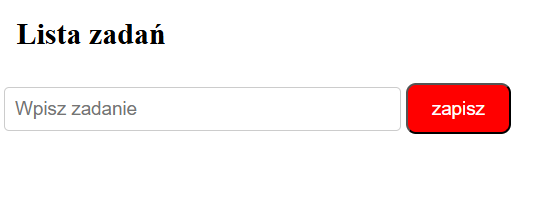
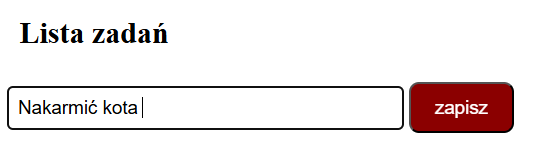
Gdy użytkownik najedzie kursorem na przycisk, jego kolor tła subtelnie ciemnieje.
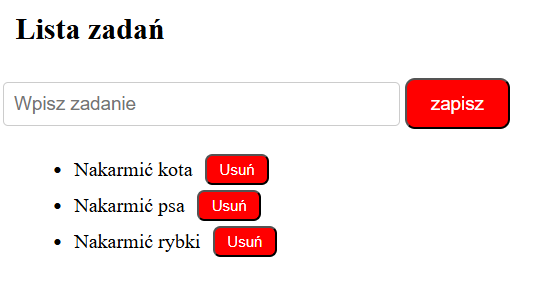
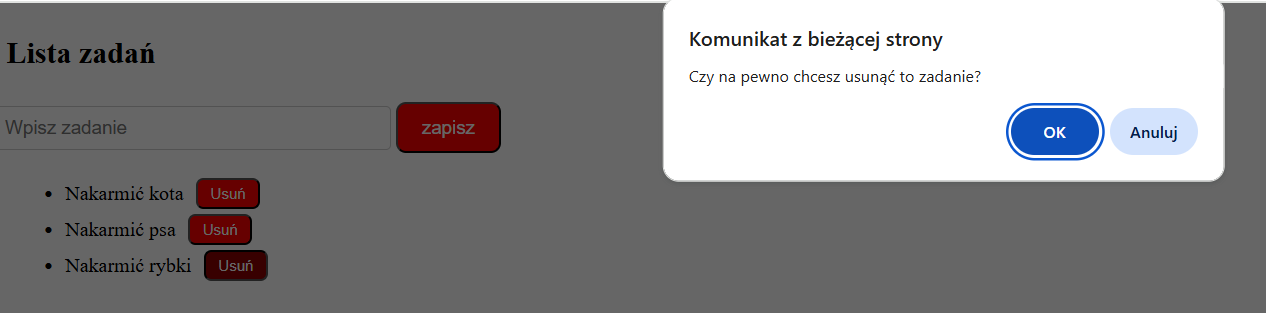
Po kliknięciu na przycisk "usuń", otrzymujemy komunikat z zapytaniem czy na pewno chcemy usunąć zadanie.
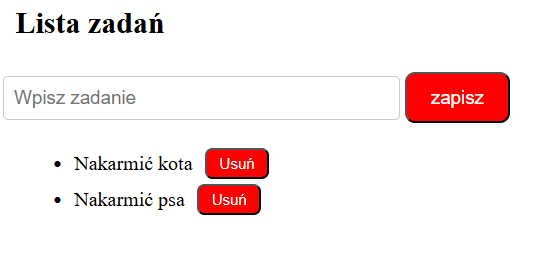
<!DOCTYPE html>
<html lang="pl">
<head>
    <meta charset="UTF-8">
    <title>ToDoList</title>
    <link   rel="stylesheet" href="css/style.css"></link>
</head>
<body>
    <h1>Lista zadań</h1>
    <input type="text" id="textInput" placeholder="Wpisz zadanie">
    <button id="button">zapisz</button>
    <ul id="taskList"><li></li></ul>

    <script src="js/skrypt.js"></script>
</body>
</html>
let text = document.getElementById("textInput");
let lista = document.getElementById("taskList");
let btn = document.getElementById("button");


btn.addEventListener("click", () => {
    if (text.value.trim() !== "") {
        let nowyElement = document.createElement('li');
        nowyElement.textContent = text.value;

        let przyciskUsun = document.createElement('button');
        przyciskUsun.className = 'deleteBtn';
        przyciskUsun.textContent = 'Usuń';
        przyciskUsun.addEventListener("click", () => {
            if (confirm("Czy na pewno chcesz usunąć to zadanie?")) {
                nowyElement.remove();
            }
        });
        nowyElement.appendChild(przyciskUsun);

        lista.appendChild(nowyElement);
        text.value = "";
    } else {
        console.log("Proszę wpisać zadanie.");
    }
});
h1 {

	font-size: 24px;
	color: black;
    padding: 10px;
}

button {

    font-size: 15px;
    color: white;
    background-color: red;
    border-radius: 8px;
    padding: 10px 19px;

}

input[type="text"] {

    font-size: 15px;
    width: 300px;
    padding: 8px;
    border: 1px solid #ccc;
    border-radius: 4px;
    /* border: 2px solid red; */
}
#taskList li {
    display: flex;
    justify-content: flex-start;
    align-items: center;
    margin: 4px 0;
    padding-left: 0;
    margin-left: 0;
    position: relative;

}
#taskList li::before {
    content: "•";
    color: black;
    font-size: 20px;
    margin-right: 10px;
}
#taskList li:empty::before {
    content: none;
}
.deleteBtn {

    font-size: 12px;
    color: white;
    background-color: red;
    border-radius: 6px;
    padding: 4px 10px;
    margin-left: 10px;
    border: bold 1px;
}
.deleteBtn:hover {
    background-color: darkred;
}
#button:hover {
    background-color: darkred;
}
