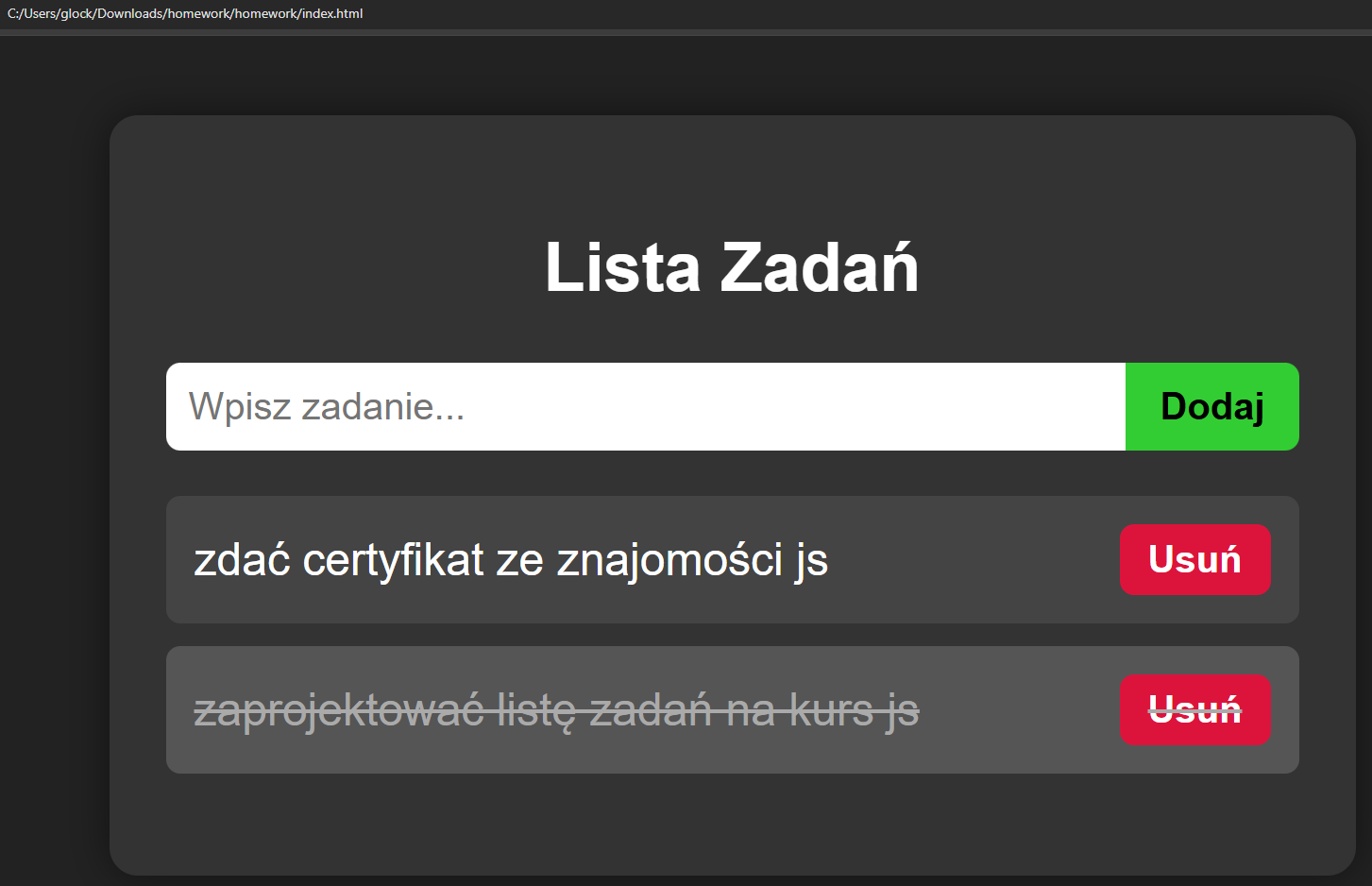
<!DOCTYPE html>
<html lang="pl">
<head>
  <meta charset="UTF-8">
  <title>Lista Zadań</title>
  <style>
    body {
      font-family: Arial, sans-serif;
      background: #222;
      color: #fff;
      display: flex;
      justify-content: center;
      align-items: flex-start;
      padding: 20px;
    }
    #app {
      width: 400px;
      background: #333;
      padding: 20px;
      border-radius: 10px;
      box-shadow: 0 0 15px rgba(0,0,0,0.5);
    }
    h2 {
      text-align: center;
    }
    form {
      display: flex;
      margin-bottom: 15px;
    }
    input[type="text"] {
      flex: 1;
      padding: 8px;
      border: none;
      border-radius: 5px 0 0 5px;
      outline: none;
    }
    button {
      padding: 8px 12px;
      border: none;
      background: limegreen;
      color: black;
      font-weight: bold;
      border-radius: 0 5px 5px 0;
      cursor: pointer;
    }
    ul {
      list-style: none;
      padding: 0;
    }
    li {
      background: #444;
      margin-bottom: 8px;
      padding: 10px;
      border-radius: 5px;
      display: flex;
      justify-content: space-between;
      align-items: center;
      cursor: pointer;
    }
    li.done {
      text-decoration: line-through;
      background: #555;
      color: #aaa;
    }
    li button {
      margin-left: 10px;
      padding: 5px 10px;
      border: none;
      background: crimson;
      color: white;
      border-radius: 5px;
      cursor: pointer;
    }
  </style>
</head>
<body>
  <div id="app">
    <h2>Lista Zadań</h2>
    <form id="taskForm">
      <input type="text" id="taskInput" placeholder="Wpisz zadanie..." required>
      <button type="submit">Dodaj</button>
    </form>
    <ul id="taskList"></ul>
  </div>

  <script>
    const form = document.getElementById("taskForm");
    const input = document.getElementById("taskInput");
    const list = document.getElementById("taskList");

    // Obsługa dodawania zadania
    form.addEventListener("submit", (e) => {
      e.preventDefault();
      const text = input.value.trim();
      if (text === "") return;

      // Tworzymy element <li>
      const li = document.createElement("li");
      li.textContent = text;

      // Przycisk usuń
      const btn = document.createElement("button");
      btn.textContent = "Usuń";
      btn.addEventListener("click", (e) => {
        e.stopPropagation(); // żeby kliknięcie w "Usuń" nie oznaczało zadania jako wykonane
        if (confirm("Czy na pewno chcesz usunąć to zadanie?")) {
          li.remove();
        }
      });

      li.appendChild(btn);

      // Kliknięcie w zadanie -> ukończone + event
      li.addEventListener("click", () => {
        li.classList.toggle("done");

        // CustomEvent
        const event = new CustomEvent("taskCompleted", {
          detail: { task: text, done: li.classList.contains("done") }
        });
        li.dispatchEvent(event);
      });

      // Obsługa CustomEvent
      li.addEventListener("taskCompleted", (e) => {
        console.log("zadanie ukończone:", e.detail.task, "status:", e.detail.done);
      });

      // Dodaj do listy
      list.appendChild(li);

      // Wyczyść input
      input.value = "";
    });
  </script>
</body>
</html>